
Service Variants with Option Groups
Option groups let you create service variants with different pricing and durations. For example, a "Haircut" service can have variants for "Short hair" and "Long hair" with different prices.
How Option Groups Work
An option group has a name (like "Hair length") and options (like "Short hair" and "Long hair"). When you attach an option group to a service, each option becomes a variant.
Service variants share:
Service name (e.g., "Haircut")
Description
Staff capabilities (who can perform it)
Each variant has its own:
Duration
Price
Discounted price
Extra blocked time
Flexible pricing setting
Creating an Option Group
Go to Services
Click the + button in the bottom right
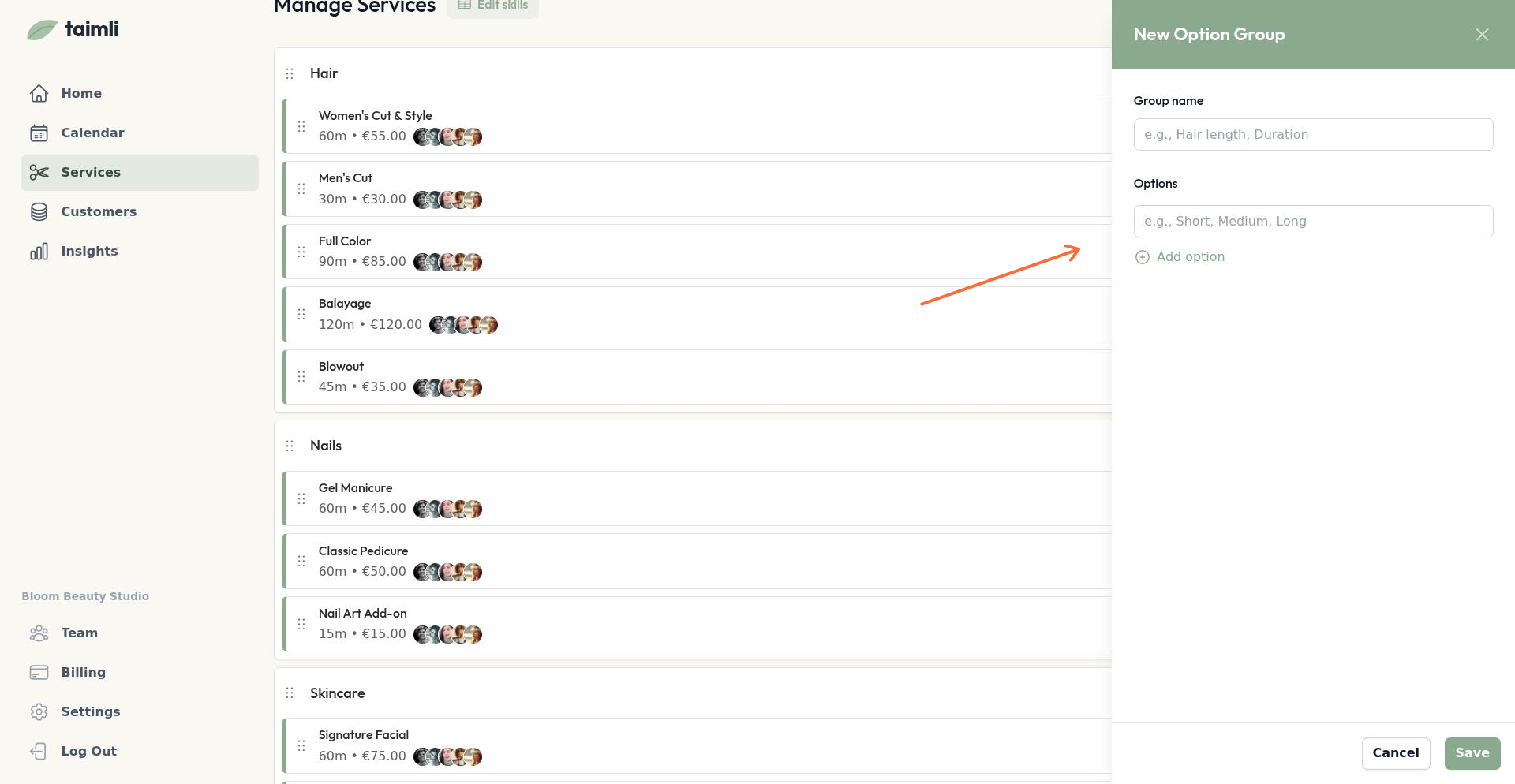
Select New option group
Enter the option group name (e.g., "Hair length")
Add options by typing a name and clicking Add option
Add as many options as needed
Save the option group
Attaching an Option Group to a Service
You can only attach option groups when editing an existing service, not when creating a new one.
Click the three-dot menu next to a service and select Edit service
Scroll to the Option group section
Select an option group from the dropdown (shows group name and number of options)
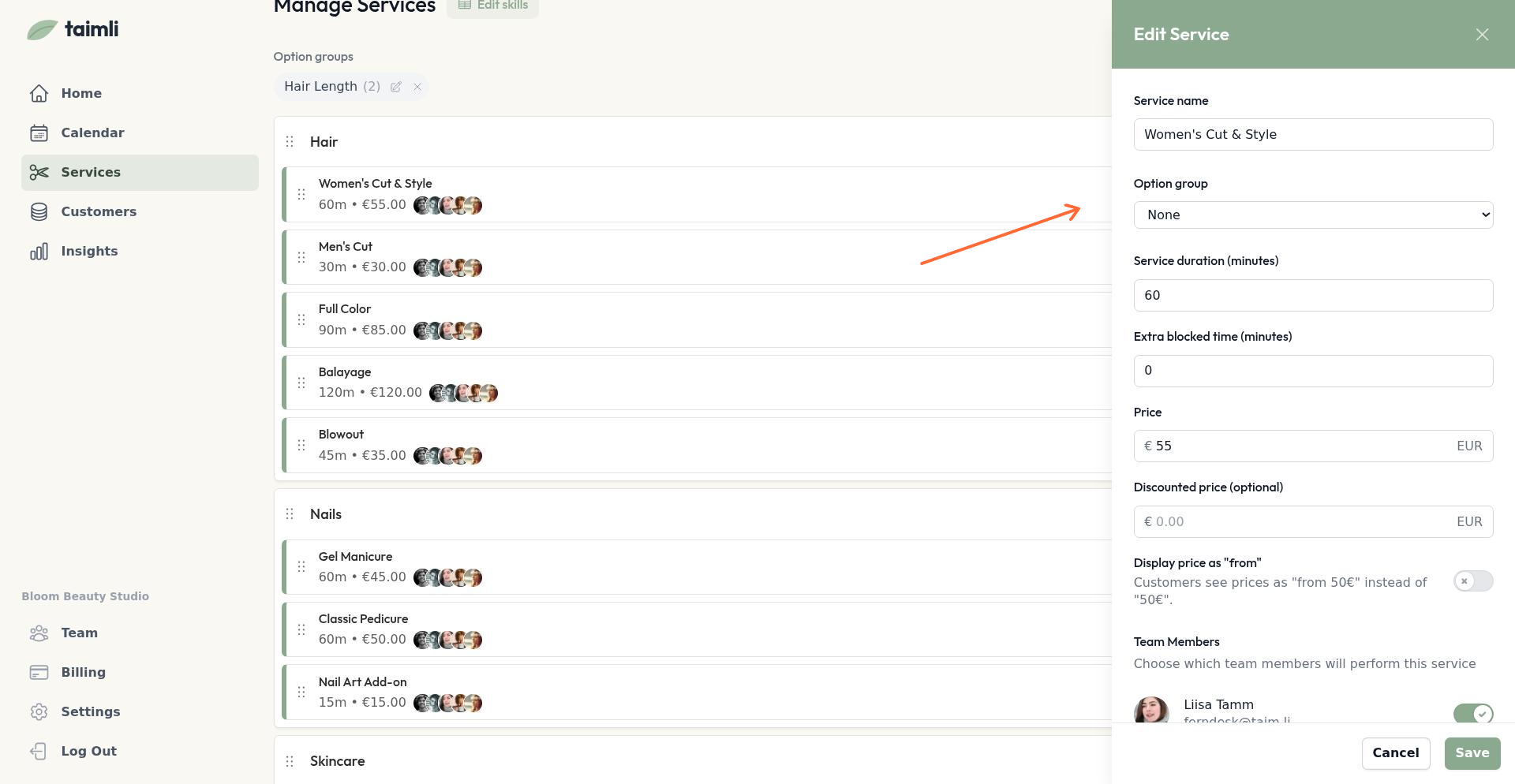
Configure duration, price, and other settings for each variant
Save the service
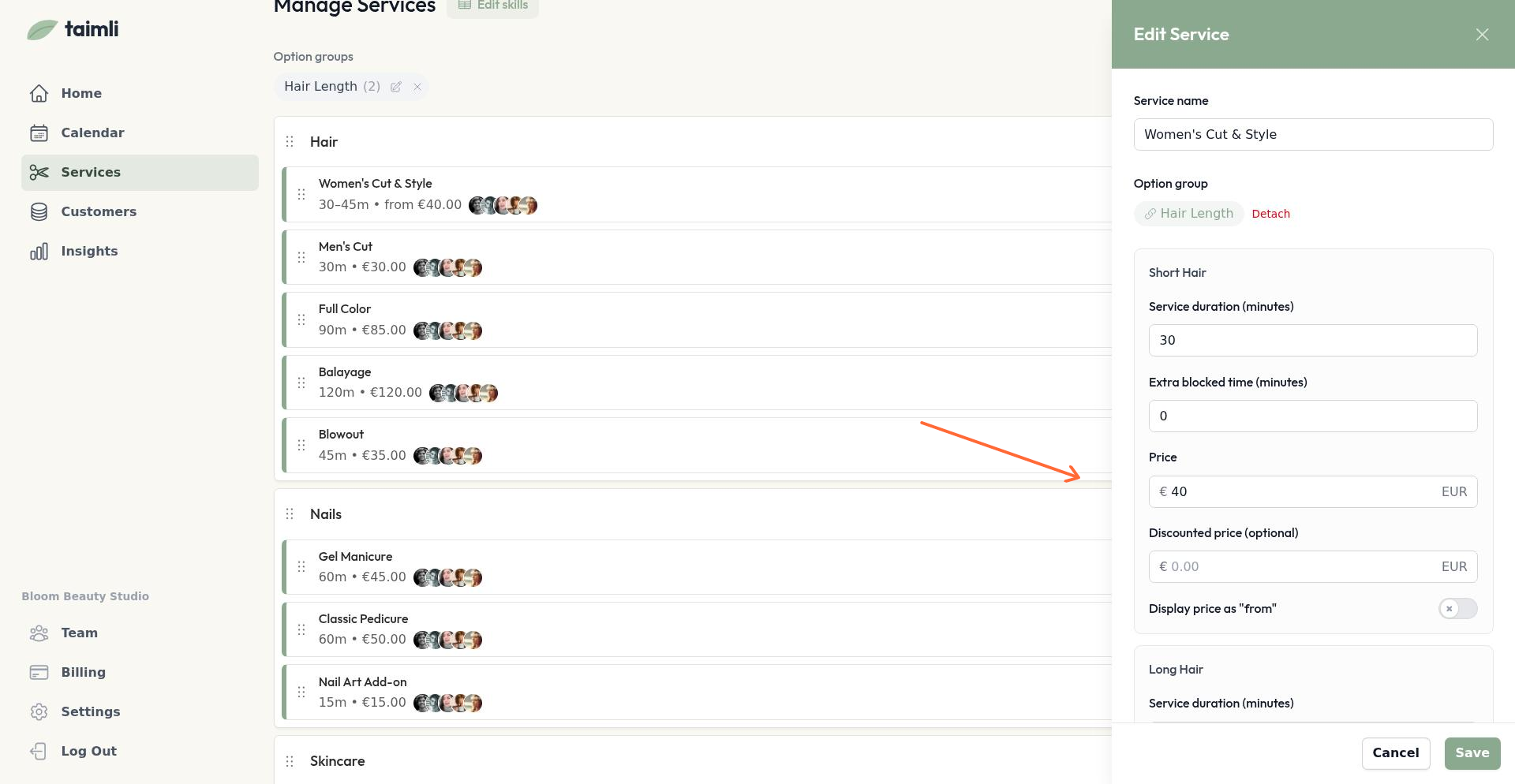
The option group dropdown only appears if you have created at least one option group. To detach an option group, select "None" from the dropdown or click "Detach" next to the attached group name.
Customer Booking Experience
When customers book a service with an option group, they see the service name and must select a variant before proceeding. For example, when booking "Haircut," they choose between "Short hair" and "Long hair." The price and duration update based on their selection.
Managing Option Groups
To view all option groups, navigate to the option groups list from the Services page. You can edit or delete option groups using the pencil and trash icons next to each group.
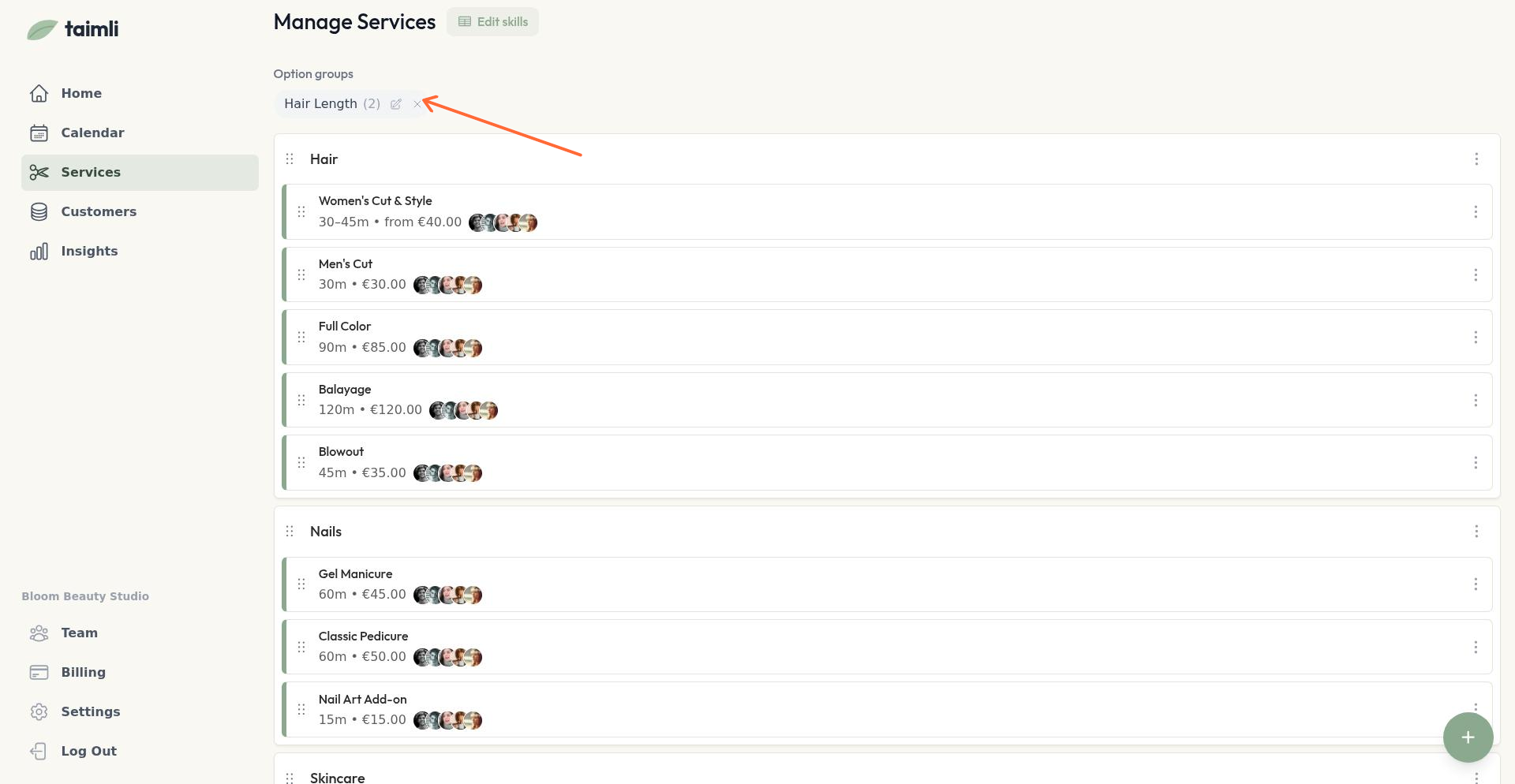
Deleting an option group removes variants from all services using it. Those services revert to single, non-variant services.
Use option groups for services where price or duration varies significantly, like haircuts by hair length or massages by session length.