
A service with no capable staff is removed from the public booking page entirely. Go to Services, click Service assignments, select a team member, and enable the service. Also check the Show in online booking toggle in the service editor; see Hiding services from online booking.
Managing Staff Capabilities
Capabilities control which staff members can perform which services. This affects booking availability and smart scheduling.
Why Capabilities Matter
When a customer books a service, they can only select staff who have that capability enabled. If no staff can perform a service, customers can't book it online.
Make sure at least one staff member has each service enabled, or it won't appear for booking.
Assigning Services from the Services Page
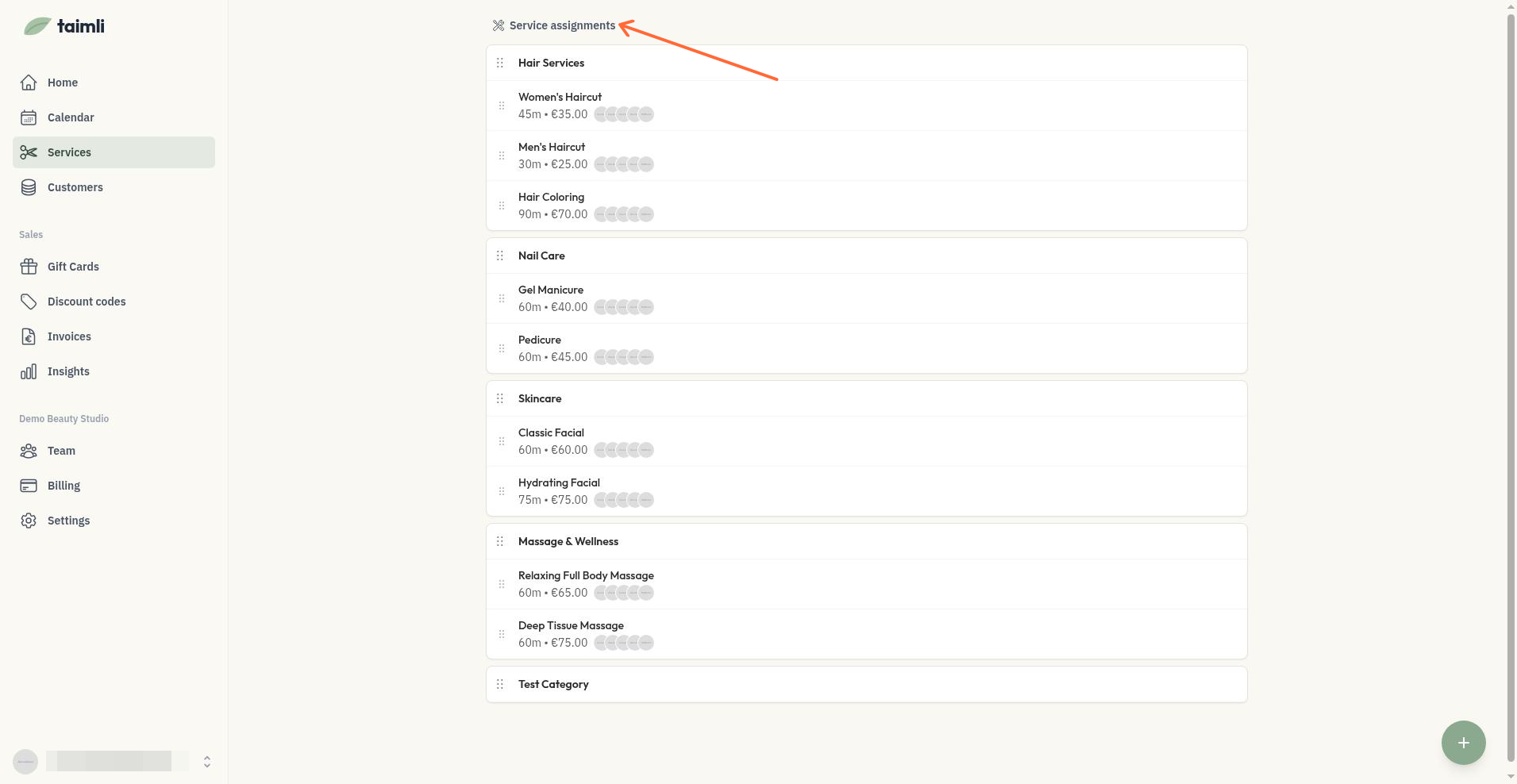
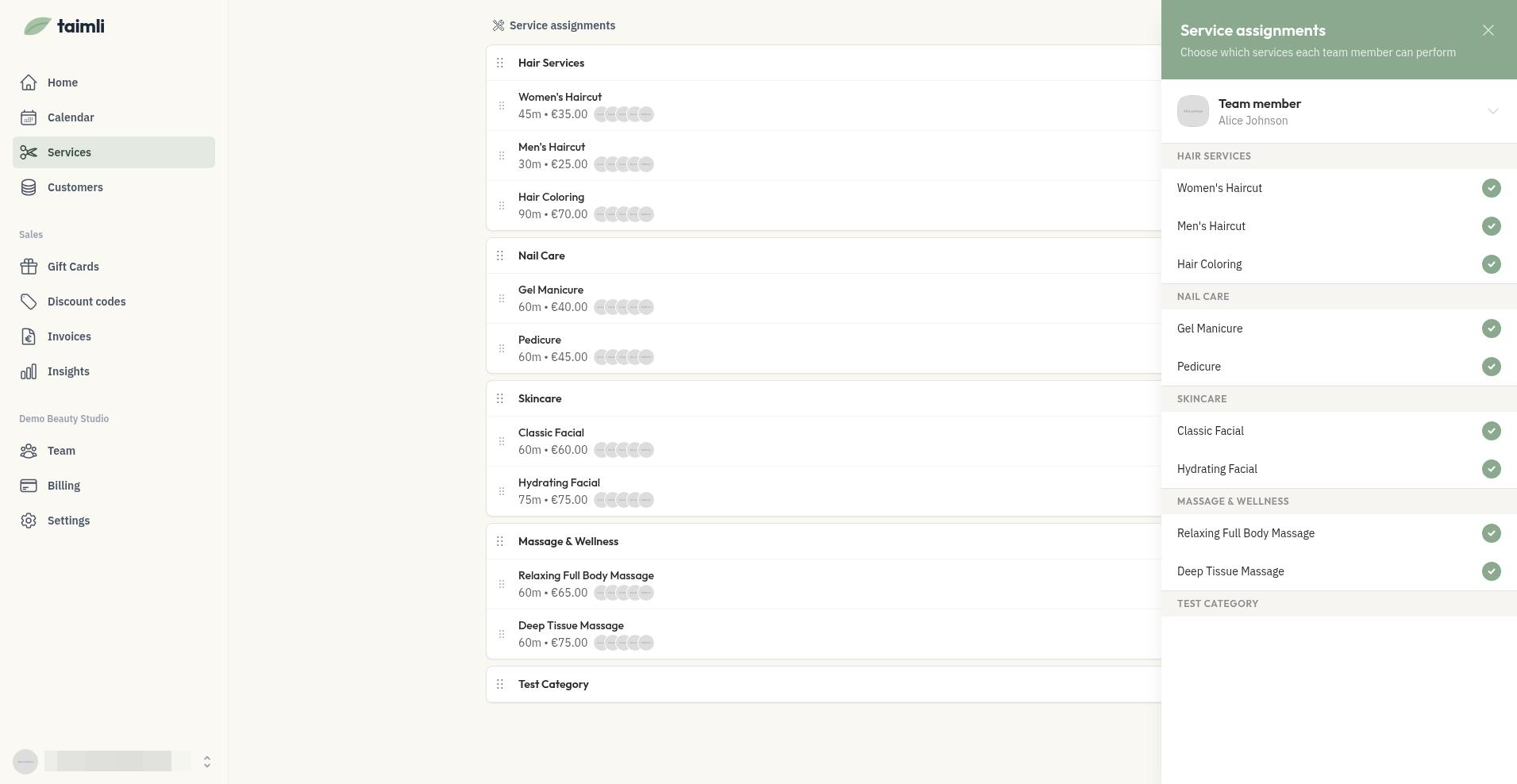
The Service assignments panel gives you a bird's-eye view to assign services to staff. Each change saves immediately.
Go to Services.
Click Service assignments.
Select a team member from the Team member selector. The selector appears only when you have more than one team member.
Click service rows to toggle them on or off.
Changes save automatically.
A filled check circle means the staff member can perform the service. An empty circle means they cannot.
Managing Capabilities in Service Details
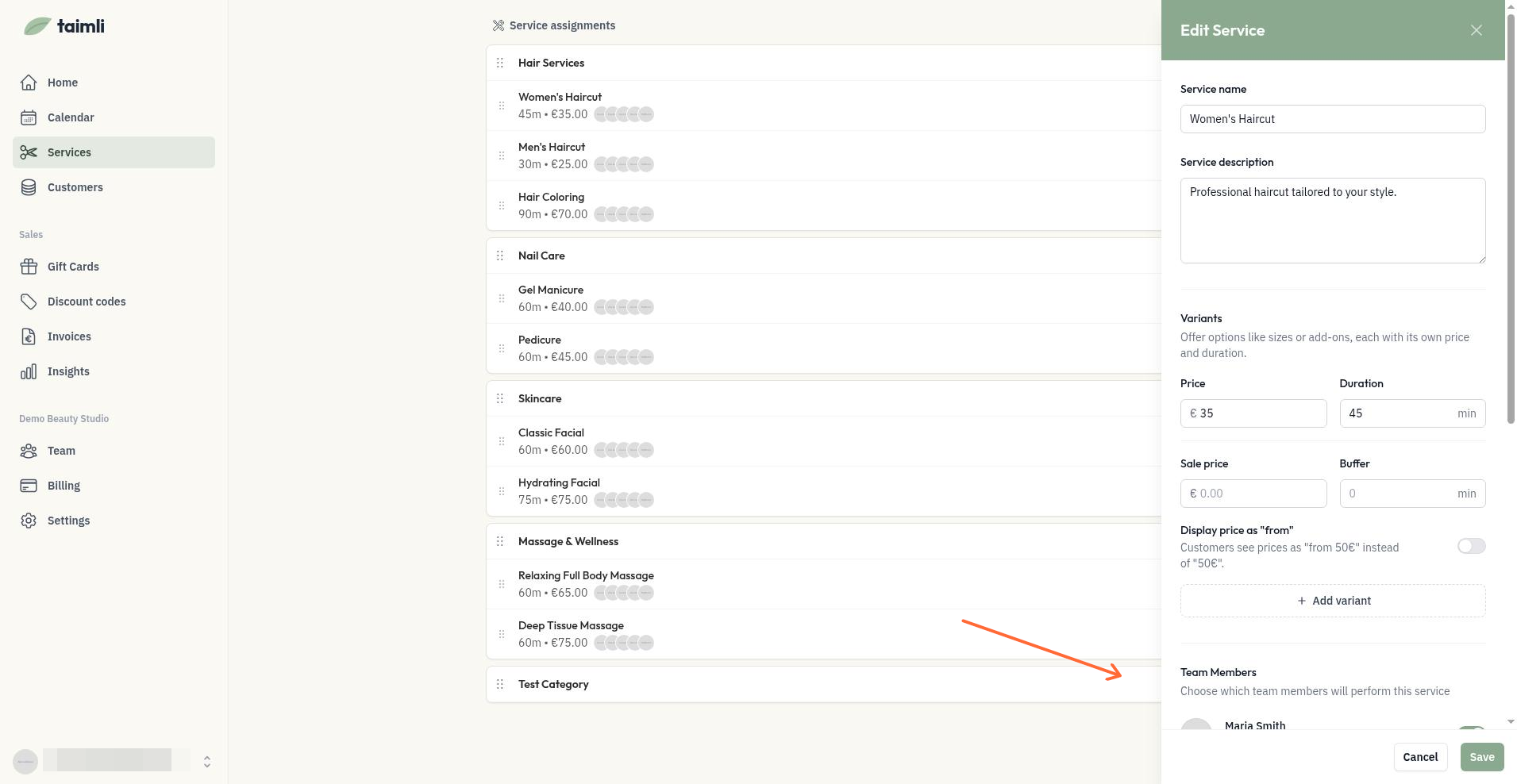
You can also manage capabilities when editing a service. In the service edit panel, scroll to the Team Members section to see which staff can perform it and toggle their capabilities inline. These toggles save when you save the service, not immediately.
Open the service you want to edit.
Scroll to Team Members.
Toggle each team member's capability.
Click Save.
Use Service assignments when onboarding new staff or doing bulk updates. Use inline management when fine-tuning individual services.
Troubleshooting: a service or time slot is missing online
Missing services and missing time slots online usually come down to one of three causes: no staff member can perform the service, no single worker covers every service in a multi-service booking, or the day has no bookable availability. Find your case below.
The service is missing from the public booking page
Customers can select several services, but no time appears
A booking that combines several services needs either one worker who can perform all of them, or the Visits with several professionals setting so each service can get its own professional. If no team member has every selected service enabled and the setting is off, no time slots can be offered for the booking, even when each service looks bookable on its own. In Service assignments, enable every service in the combination for at least one team member, or turn on Visits with several professionals under Settings > Booking & availability (see Book a visit with multiple professionals).
No time slots appear on a specific day
Slots only exist where you have opened availability, and several settings can remove them for a day.
Check the day has availability. Your calendar starts fully blocked, so a day without a work day or availability slot has nothing to book. See Setting up your availability.
Check Limit to specific weekdays in the service editor's Online booking section. On a day outside the selected weekdays, the service shows no time slots. See Limiting services to specific weekdays.
Check blocked time. Breaks and time off remove the slots they cover. See Blocking time for breaks and time off.
Check your booking limits. The minimum booking lead time and the online booking window restrict how soon and how far ahead customers can book.
Was this helpful?
Was this helpful?