
Quickstart
Use this checklist to launch online booking: add your team members, assign each of them to the services they perform, open your availability, confirm your services are bookable, review your booking settings, share your booking link, and test the customer flow on a mobile device. Each step links to the detailed guide for that setting.
1. Add your team members
Your staff are managed in their own area of the app, separate from services and the calendar. Add every worker before you assign services or open availability.
Open Team in the admin navigation.
Click Add team member.
Enter the person's Name and Login email, and choose a Role: Worker, Admin, or Setup.
Optionally add an Introduction and a photo, then click Add team member.
A new Worker or Admin gets access to your salon and appears in your calendar and on your booking page, but starts with no availability and no services assigned. Set those up in the next steps. Each worker adds €9.95 per worker per month to your subscription; see Manage your salon subscription and billing.
Adding a Setup member
Choose the Setup role when you want someone to help configure the salon without taking bookings. Only a salon owner or a Setup member can add a Setup member; admins cannot assign this role.
A Setup member has the same salon access as an owner, but they are not bookable staff: they do not appear as a worker in your calendar or on your booking page. Setup members also do not add a subscription seat.
To change an existing booked team member to Setup, move their future bookings to another team member first, then save the role change.
2. Assign each team member to their services
A service only appears for online booking when at least one team member can perform it, so complete this before you share your booking link.
Go to Services.
Click Service assignments.
Select a team member from the Team member selector.
Click each service row they perform to toggle it on. Changes save immediately.
For the second way to assign services, and for what to do when a service or time slot is missing online, see Managing Staff Capabilities.
3. Set your availability
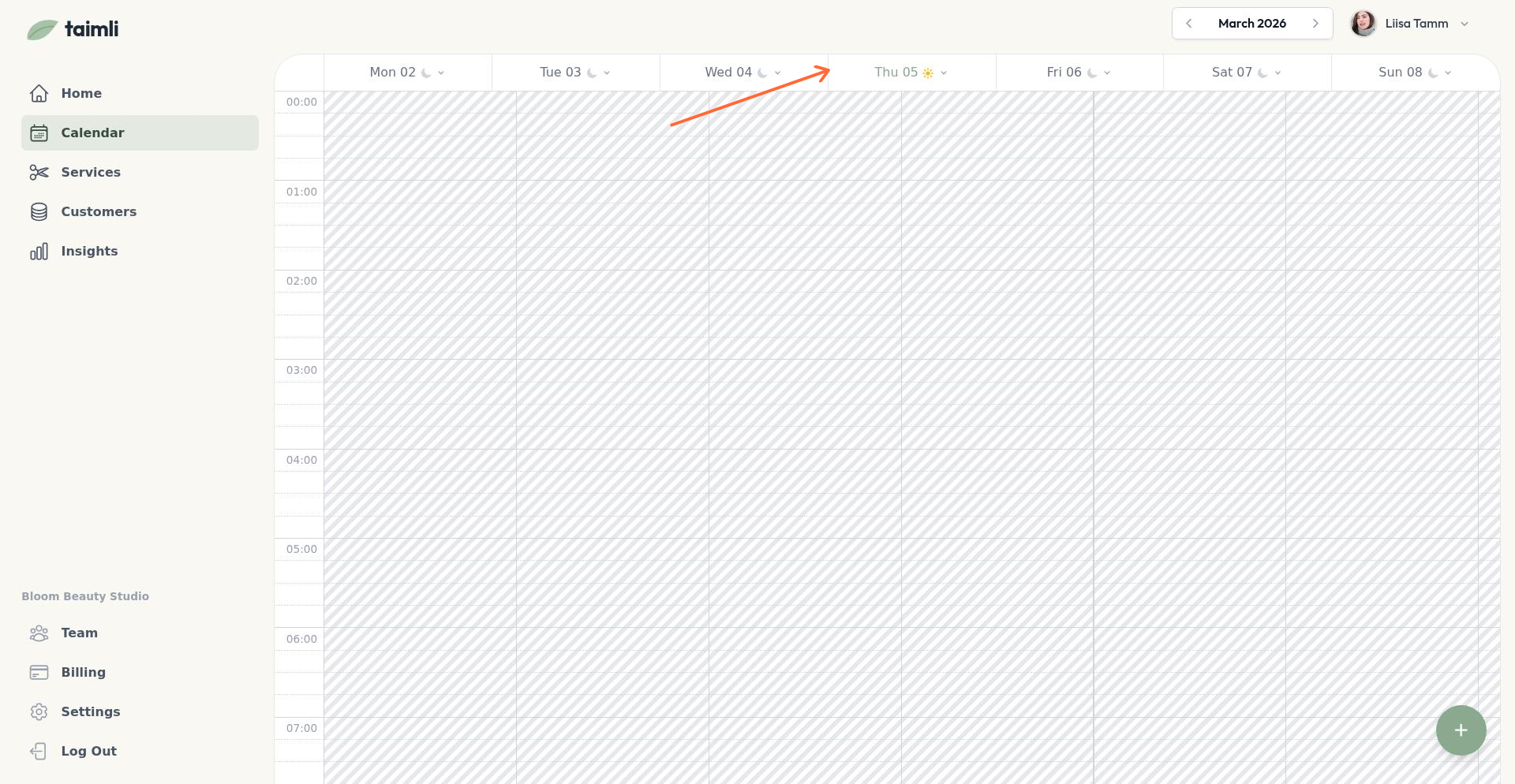
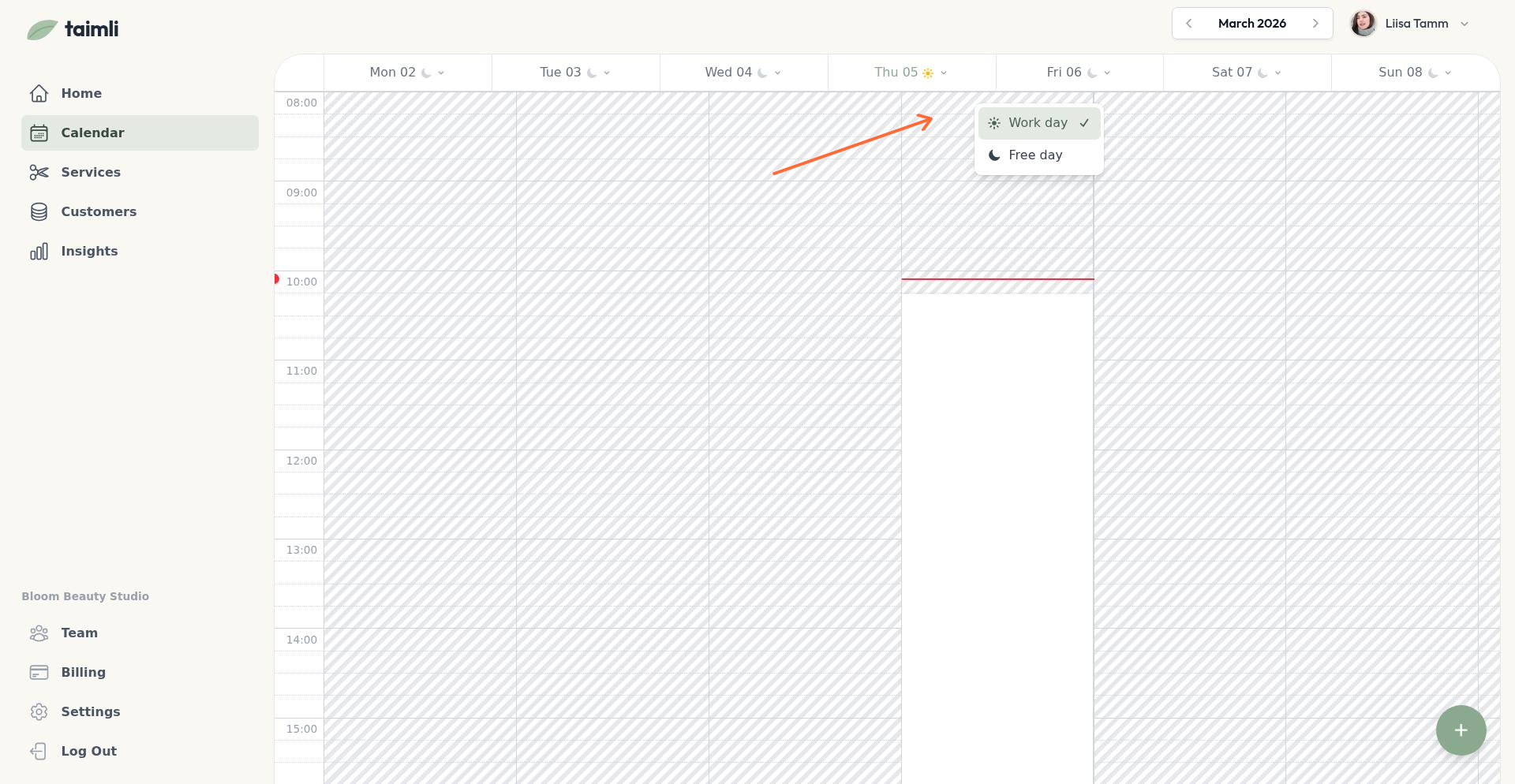
Your calendar starts completely blocked, so customers can't book until you open time slots. Follow Setting Up Your Availability to create availability blocks for each day and worker you want to accept bookings.
4. Confirm your services are bookable
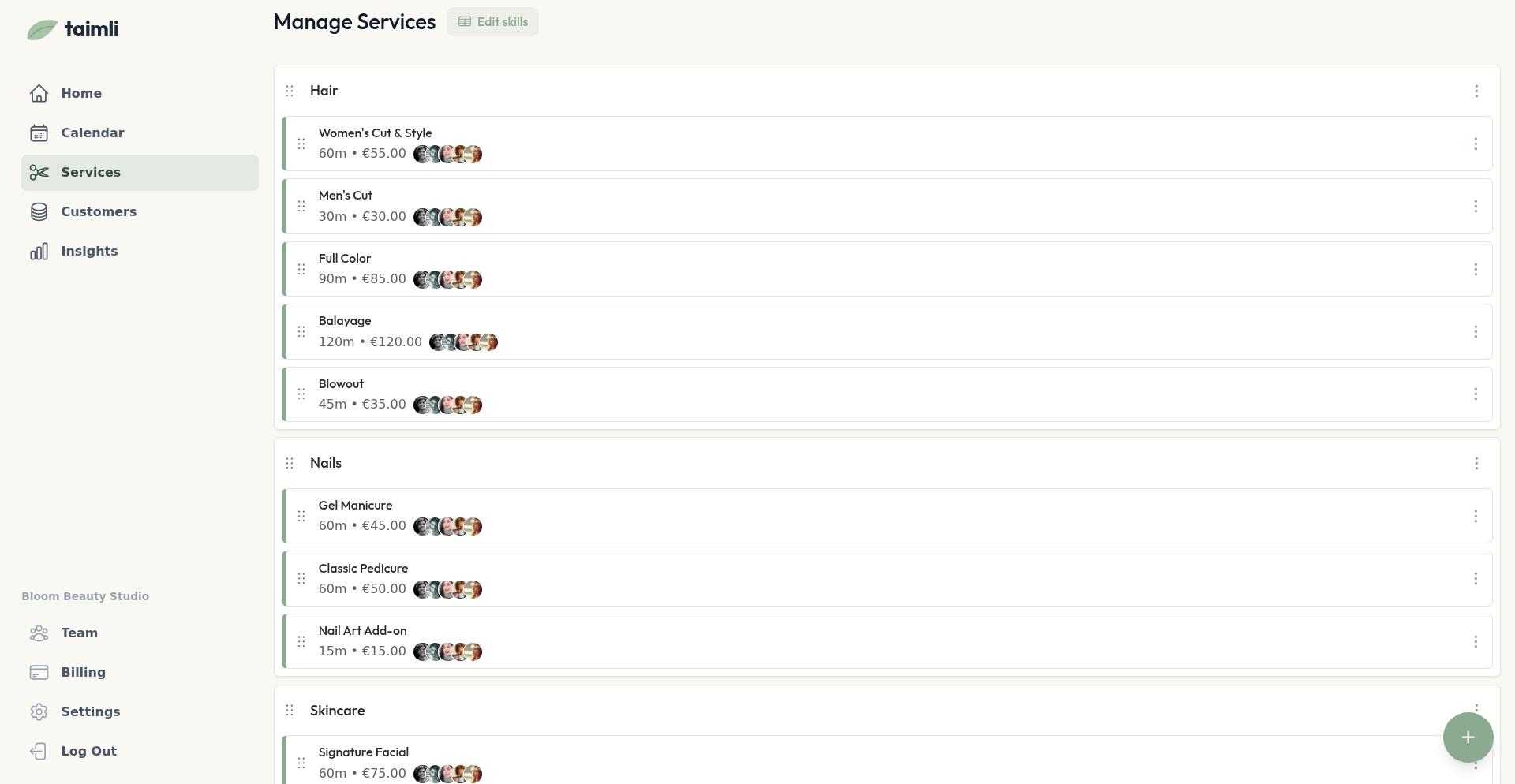
Customers can only book a service that is visible online, has a price and duration, and has at least one qualified worker assigned. Review each service you want to sell online.
Check each service's Price and Duration (see Adding and Editing Services)
Confirm Show in online booking is on for each service (see Hiding Services from Online Booking)
Confirm at least one team member can perform each service (you assigned these in step 2; see Managing Staff Capabilities)
Review any weekday restrictions (see Limiting Services to Specific Weekdays)
5. Review your booking settings
These settings control how much notice customers need and what they can do on your booking page.
Review your Minimum booking lead time, including any worker overrides (see Setting Minimum Booking Lead Time)
Review your Online booking window to control how far ahead customers can book (see Setting the Online Booking Window)
Review the booking controls in Settings: require manual approval for new bookings, let customers cancel their own bookings, let customers choose a professional, and bot protection
Set a PIN if you want to restrict access to your booking page (see Require a PIN Code for Your Booking Page)
Add custom booking terms if customers must accept them (see Add custom booking terms)
6. Share your booking link
Your booking link is in Settings under Booking Link. Click Copy, then share the link on your website, social media, or anywhere customers will find it. To add a booking button directly to your website instead, see Add a booking button to your salon website.
7. Test the customer flow on a mobile device
Before going live, open your booking link on a phone and complete a test booking to confirm the page works as expected. Work through the steps and check the results, because a booking that goes through can still hide setup problems.
Open your booking link on a phone
Select a service (for a service with variants, pick a variant and use Add or Save)
Select a professional if the option is shown: the screen reads Choose a professional (or Choose your professionals for a multi-professional visit) and offers Any available professional or a named worker
Pick an available time under Choose a time; picking a time moves you straight to customer information
Enter the customer's information: Full name, Email address, and Phone number are required
Accept the terms if they are enabled
Click Confirm booking. If prepayment is required for the service, the button reads Continue to payment instead
Check these after the test booking:
Services: every service you sell online appears on the page with its price and duration. A service is missing if Show in online booking is off or no team member is assigned to it (steps 2 and 4)
Availability: the times customers can pick match the availability and booking settings you configured, such as your minimum lead time and booking window (steps 3 and 5)
Staff: the professional list shows only the team members who can perform the service. The professional step is skipped when only one qualified worker can serve it
Confirmation: the details page shows Booking confirmed! for an instant booking, or Booking is pending approval when you require manual approval. With approval required, you get a New booking request email and approve or decline in the dashboard; the customer gets a confirmation email once the booking is confirmed
Booking details: the page shows the salon name, the status, the date and time, the worker name with duration, the booked services with prices, and the Total
Cancellation: if you let customers cancel their own bookings, book a test slot more than 24 hours ahead, open the details page, and use Cancel appointment. Confirming in the Cancel Booking dialog shows Booking successfully canceled. Cancellation is not available inside the 24-hour window or when the setting is off; the page then shows Cancellation unavailable (see How customers use My bookings)
Once the test booking goes through and the checks above pass, you're ready to accept online bookings. If you have questions, reach out to support.