
Limiting Services to Specific Weekdays
Control which days customers can book each service online. Working hours always come from your calendar, so this setting only narrows a service to the days it is actually offered, such as a treatment available only on Wednesdays.
How It Works
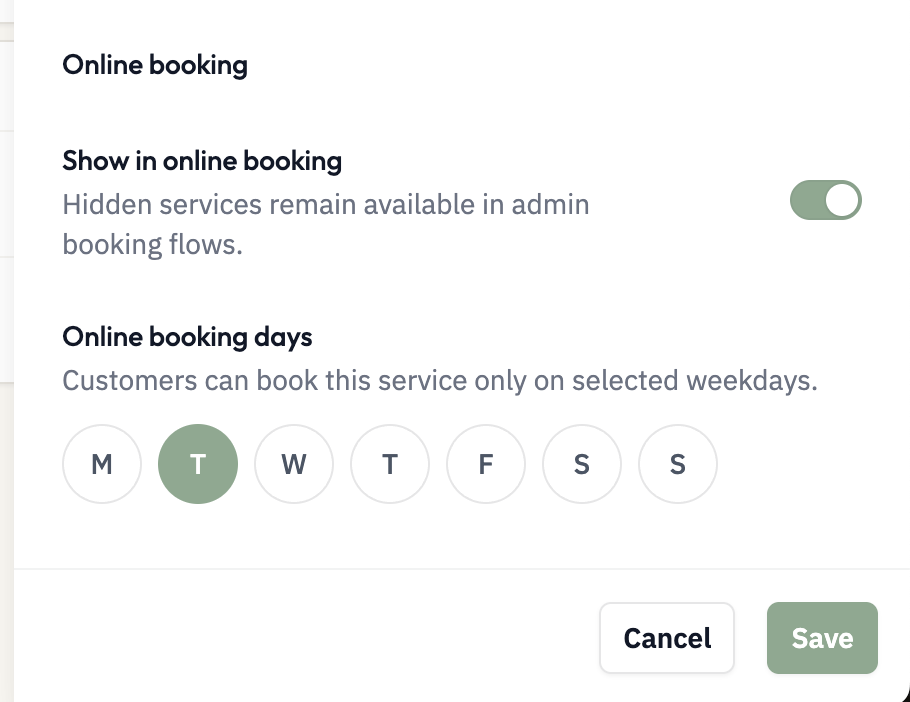
Each service has a Limit to specific weekdays setting in the Online booking section. Leave all days selected unless the service is not offered every working day:
All days selected (default): Customers can book this service any day you have calendar availability
Specific days only: Customers can book the service on the selected weekdays; on other days the service stays listed but shows no time slots there
Weekday restrictions only affect customer-facing booking. You can still create bookings for any service from the admin calendar, regardless of the weekday.
Working hours always come from the calendar. Do not use this setting to define when you work, and do not uncheck days you simply do not work. Use it only for services that are not offered on every working day.
Setting Weekday Availability
Go to Services from the sidebar
Click the service you want to configure
In the Online booking section, find Limit to specific weekdays
Select or deselect each weekday
Save your changes
You must have at least one weekday selected. If you need to hide a service completely from online booking, use the visibility toggle instead.
What Changes
When you limit a service to specific weekdays:
The service stays listed on your public booking page on every day
On an unselected weekday, the date is marked unavailable and no time slots appear for this service
You can still book the service on any day from the admin calendar
All service details (price, duration, description) stay the same
Why a Service Might Not Appear Online
A service is removed from the public booking list only when one of these applies:
Show in online booking is turned off
No staff member has this service enabled in their capabilities
Limit to specific weekdays works differently: the service stays listed on every day, but on an unselected weekday no time slots appear for it. If a service isn't appearing on the expected day, check both settings above, and confirm the selected weekdays overlap your calendar working hours: if a service is limited to days when you have no calendar availability, customers see no times at all.
Weekday availability and visibility are separate controls. A service can be visible but limited to certain days, or completely hidden from online booking. Choose the setting that matches how you want to offer the service.