
Thank-you emails
Thank-you emails automatically thank customers after a visit and invite them to rate it and leave a review. Taimli sends each email on its own once a confirmed visit ends; you do not need to check the booking out as paid. You turn the feature on in Settings.
Reviews customers submit appear on the Reviews page in your salon admin. See View customer reviews and ratings.
How thank-you emails work
When a confirmed booking's visit ends, Taimli schedules a thank-you email for the delay you chose in Settings. The delay counts from the visit's end time, and you can send Immediately, 30 minutes after, 1 hour after, or 2 hours after. The default is 1 hour after.
Payment is not part of the trigger. A confirmed booking receives its thank-you email whether or not it has been checked out as paid.
Canceled and no-show bookings are skipped.
Enable thank-you emails
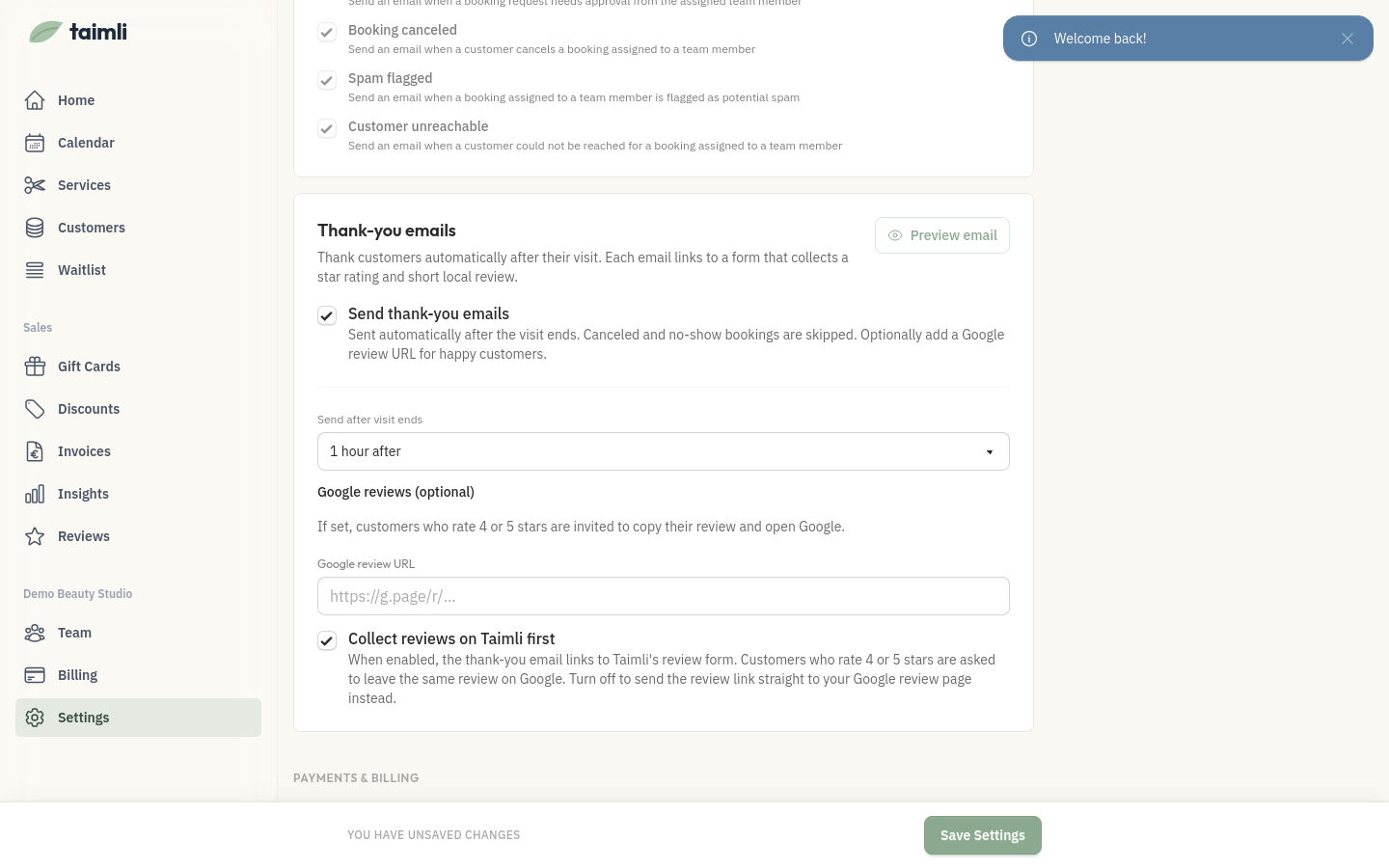
Anyone with access to Settings can change these settings; without it, Settings shows "You don't have permission to access settings."
Thank-you emails are off by default, so nothing is sent until you turn the setting on.
Open Settings and go to the Thank-you emails section.
Check Send thank-you emails.
Under Send after visit ends, choose Immediately, 30 minutes after, 1 hour after, or 2 hours after.
Decide where customers leave reviews. Keep Collect reviews on Taimli first checked, or turn it off to send the review link straight to your Google review page.
If you send customers straight to Google, enter your Google review URL. It is required in that mode.
Click Save Settings. The page confirms with "Settings updated successfully."
Use Preview email to see exactly what customers receive. The preview is read-only: the email's subject, body, and button are fixed and cannot be edited.
Choose where customers leave reviews
The Collect reviews on Taimli first setting decides whether the review link opens Taimli's feedback form or your Google review page. It is checked by default.
Collect reviews on Taimli first is checked — the email links to Taimli's review form. Customers who rate 4 or 5 stars are asked to leave the same review on Google.
Collect reviews on Taimli first is off — the email's Leave me a review button opens your Google review page directly. Customers do not see Taimli's feedback form first.
With direct Google links, the Google review URL under Google reviews (optional) is required: saving without it shows an error that the URL is required when review links go directly to Google. With Taimli-first, the URL stays optional and only controls the Google step for 4 and 5 star ratings.
A valid URL must use HTTP or HTTPS, include a host, and contain no whitespace.
Who receives the email
A customer receives the thank-you email only when every condition below is met.
Thank-you emails are enabled for your salon.
The booking is confirmed.
The visit has ended within the last two days, and the delay you chose has passed.
The customer has a usable email address that has not bounced.
The customer is not blocked from online booking.
The booking was not imported and is not flagged as spam.
Canceled and no-show bookings never receive one. Eligibility is rechecked right before each email is sent, so no new thank-you emails go out after the feature is disabled.
This is a transactional email, so it does not require email marketing consent. The email goes to the customer's saved contact email, not the address on the original booking.
What customers see
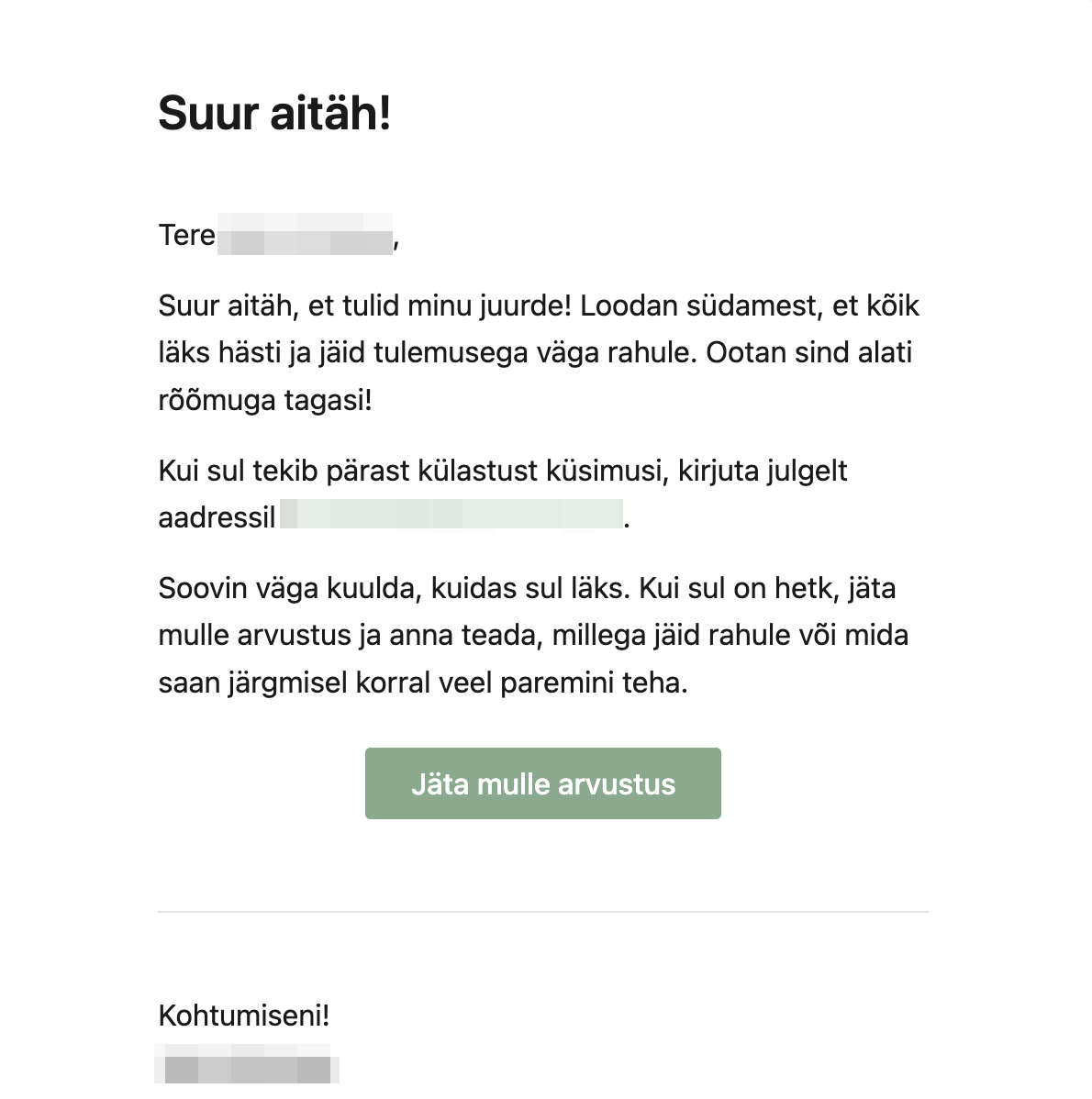
The email greets the customer by name, thanks them for their visit, and includes a Leave me a review button. The subject line is "Thank you for coming to see me!" The button opens Taimli's feedback form, or your Google review page directly when Collect reviews on Taimli first is off.
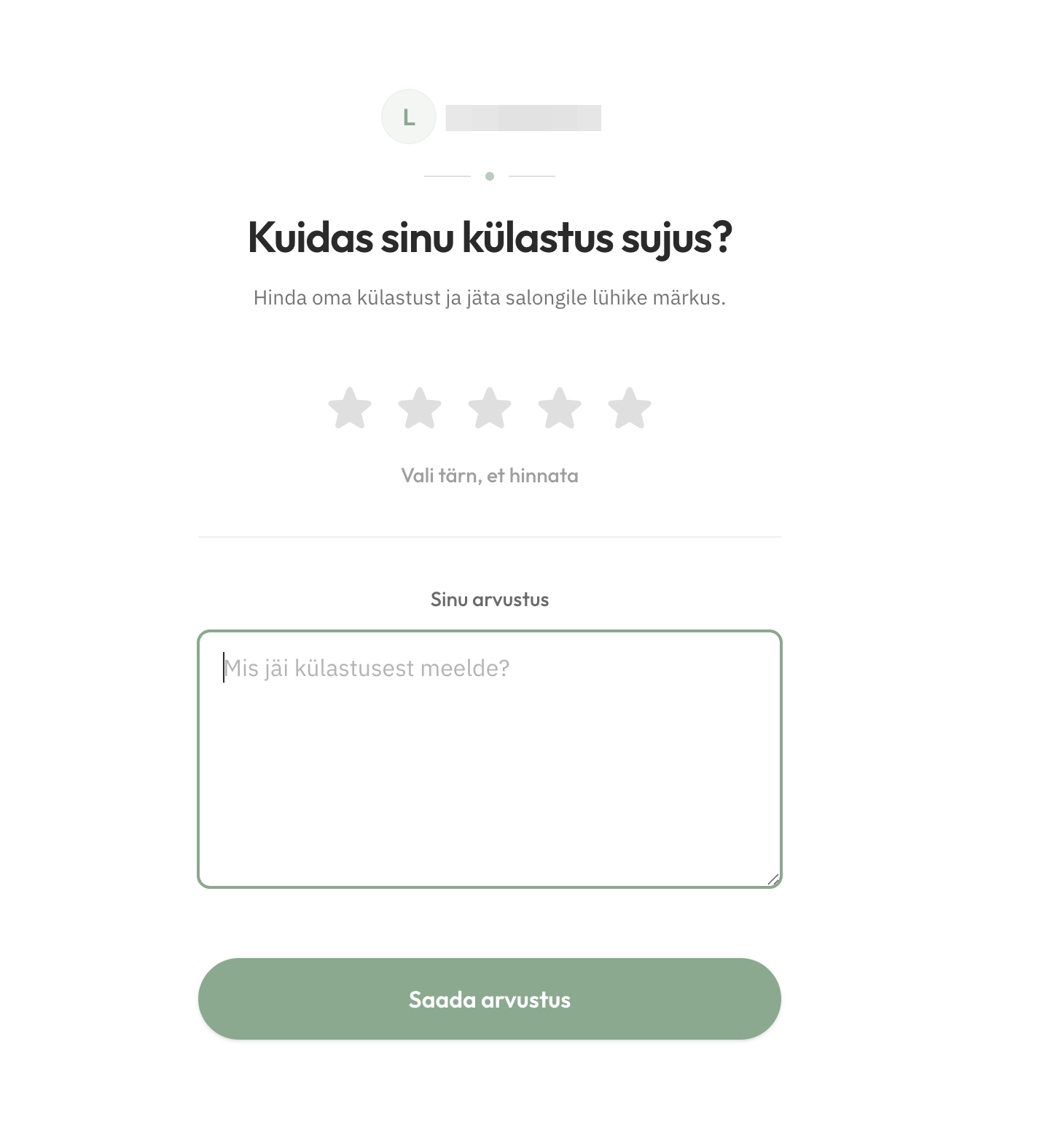
On the feedback form the customer rates the visit 1 to 5 stars (required) and can add a review up to 4,000 characters. A review can be submitted only once per booking.
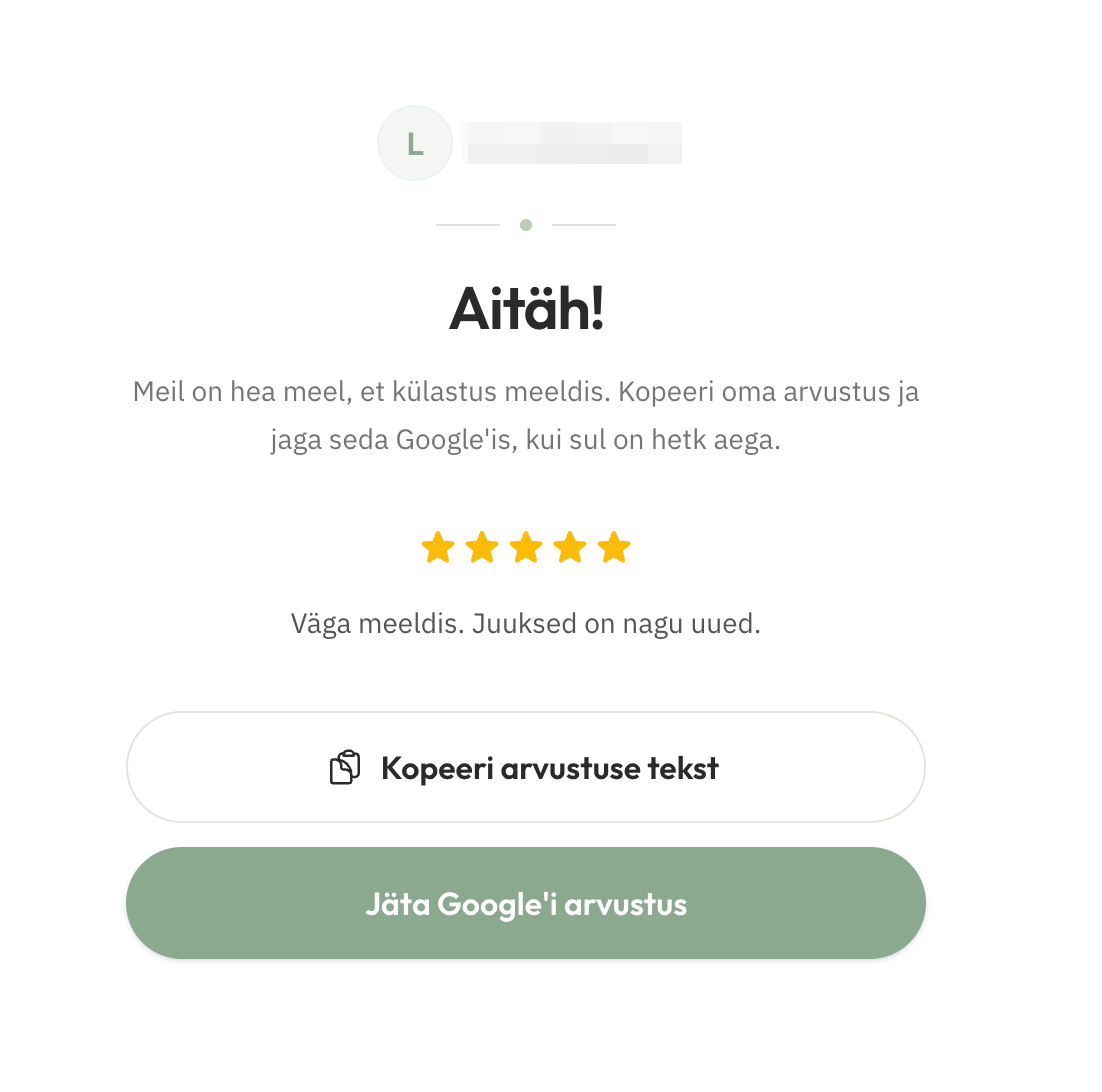
After submitting, a 1 to 3 star rating shows a thank-you message. A 4 or 5 star rating shows the Google step when you have configured a Google review URL: the customer can copy their review text and continue to Google.
Disable thank-you emails
Open Settings and go to the Thank-you emails section.
Clear Send thank-you emails.
Click Save Settings.
Tips
Keep customer emails current — the email goes to the customer's saved contact email, and a bounced address stops delivery. See Correcting a bounced customer email if a customer says they never received it.
Distinct from appointment notifications — thank-you emails are separate from confirmations, reminders, and cancellations. See Email and SMS appointment notifications for those.