
View a booking's activity history
The Activity log in a booking's details shows a time-ordered history of everything important that has happened to that appointment, newest first. Open it from the admin Calendar whenever you need to see how a booking was created, changed, or delivered on.
Open the Activity log
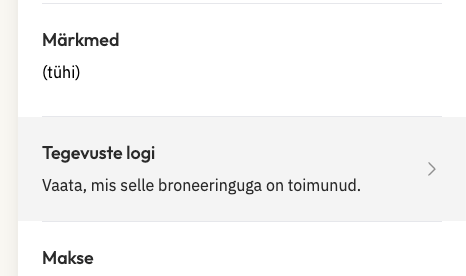
Open the appointment in the admin Calendar.
Open its booking details.
Choose Manage > Activity log.
For how to open and manage appointments in the first place, see Managing Appointments.
What appears in the Activity log
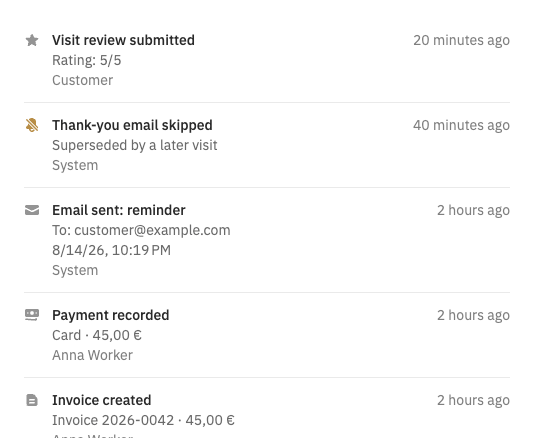
The log records important changes to the booking, listed newest first. It includes booking creation, rescheduling, cancellations, approvals, service or price changes, payments, invoices, reviews, and email or SMS delivery results.
Email and SMS reminders
Reminder entries are listed separately for each channel, Email and SMS, and each shows its destination when available. Each entry states whether a reminder was sent, is planned, is pending, or could not be sent, with the reason when available.
A skipped reminder means Taimli did not send it because of a known reason, such as missing contact details, a bounced email, or disabled SMS.
Upcoming reminders
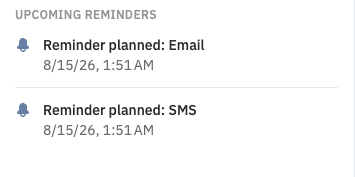
The separate Upcoming reminders section is a forecast of future reminders, not proof that a message was delivered. Use it to see what Taimli plans to send, and check the Activity log for delivery results.